
Solutions · Mobile payments
Markets, job sites, the truck, the far end of the floor. If you sell there, you can take a card there, on a phone, a small reader, or a handheld.
Get My Free Rate Analysis →New Business? Start Here
Or call 949-946-2442 or text us.
A reader that pairs with your phone, Tap to Pay with no reader at all, or a handheld that prints receipts. We'll tell you which fits.
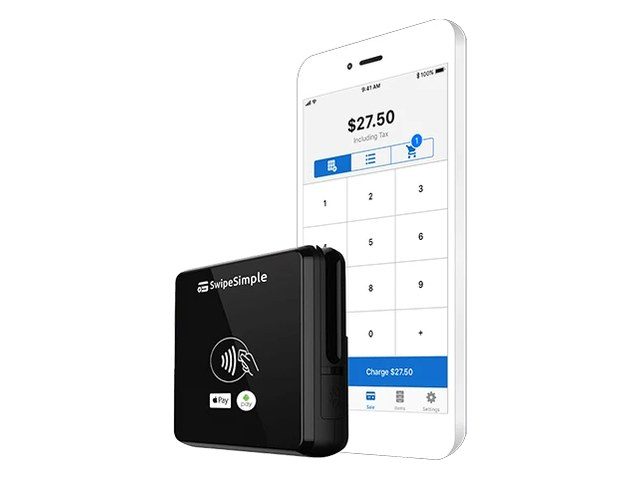
The SwipeSimple app plus the Swift B250, a 3-in-1 Bluetooth reader for chip, swipe, and tap, including Apple Pay and Google Pay.
Good for: pop-ups, markets, service calls, and small shops.
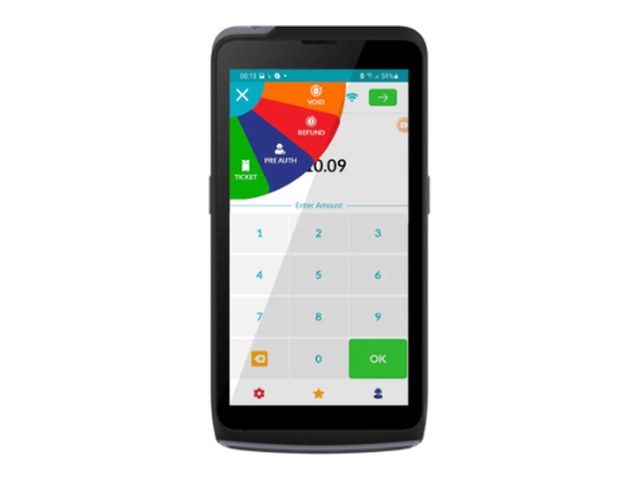
Tap to Pay on iPhone and Android with the iPOSGo! app. Take contactless cards and phone wallets with just your phone, no reader needed.
Good for: farmers markets, craft fairs, pet services, plumbers, and seasonal stands like fireworks and Christmas trees.
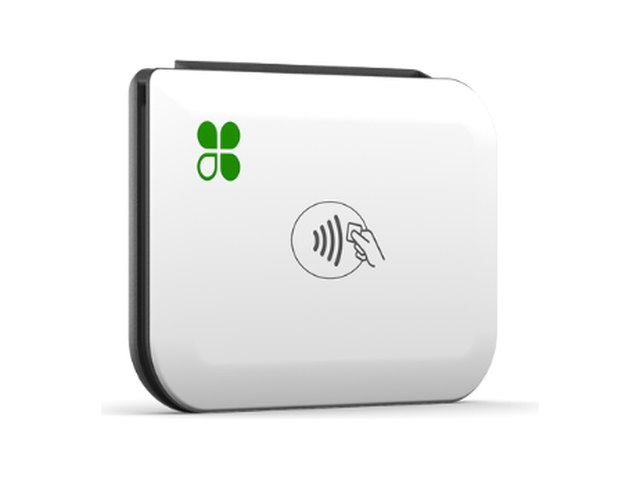
A portable reader that pairs with your phone or tablet for chip, swipe, and contactless payments, including Apple Pay and Google Pay, over Wi-Fi or cellular data.
Good for: food trucks, contractors, and delivery.
Take contactless cards and phone wallets with just your phone, no reader needed.
A handheld terminal with a built-in printer, on SwipeSimple.
A handheld POS with a printer and barcode scanner.
A compact handheld card terminal.
Send a payment link by text when you can't be there.
Take a card over the phone from any browser.
A reader paired with your phone, or a handheld at the window.
Take payment in the driveway or on the job site.
Take cards anywhere you set up a table.
Payment at the door with a phone or handheld.
Where you take payments and how many people need to take them.
A phone reader, Tap to Pay, or a handheld terminal.
The app, the device, and a quick walkthrough.
Then next-day funding on your sales.
Pairs well with: SwipeSimple · Clover · Invoicing · Virtual terminals
You get next-day funding, so you aren't waiting days for your own money.
Terminals and POS at $0 upfront on approved setups. No lease. We match the equipment to how you sell.
No long-term contract and no cancellation fee on the processing agreement we set up.
Setup and training are part of the account.
Your markup never goes up. Interchange is set by the card networks and can change.
Processor and POS support is available 24/7, except most federal holidays. Day-to-day account questions come straight to us.
Yes. SwipeSimple and Clover Go support Tap to Pay on iPhone, and the Dejavoo iPOSGo! app supports it on iPhone and Android, so you can take contactless cards and phone wallets on the phone itself.
Yes. The SwipeSimple Swift B250 and Clover Go take chip, swipe, and tap, including Apple Pay and Google Pay.
The SwipeSimple Terminal on the PAX A80, A920, or A920 Pro has a built-in receipt printer.
Clover Go works over Wi-Fi or cellular data, so you need one or the other where you sell.
SwipeSimple and Clover Go pair a small reader with your phone, Tap to Pay needs no reader at all, and a handheld like the PAX A920 Pro or Clover Flex prints receipts. We match it to how you sell.
Yes. A phone reader or Tap to Pay keeps you taking cards if your main register is down.
Next-day funding, the same as the rest of your account.
Still have a question? Call 949-946-2442 or text us.
Get My Free Rate Analysis →New Business? Start Here
Other solutions: All solutions · Business funding · Gift cards & loyalty · High-risk processing · Invoicing · Merchant services · Payment gateways · QuickBooks integrations · Recurring billing · Virtual terminals
Attach your last 2 months of statements if you have them. If not, send your details and we'll follow up.
No statements needed. Tell us about the business and we'll recommend the POS and payment setup that fits, then follow up to go over it.