
Industries · Trades & home services
Take the deposit before you buy materials, tap to pay in the driveway, and send the invoice from the truck. Most trades don't need a full POS, and we'll tell you if you don't.
Free rate analysis for contractors and home services →New Business? Start Here
Or call 949-946-2442 or text us.
Card fees are a percentage, so the bigger the job, the bigger the bite.
Card numbers typed in by hand usually cost more than a tap or chip.
Mailed checks and open invoices mean the work is done and the money still isn't in the bank.
Some field service apps bundle in their own processing, at their own price.
Most trades don't need a full POS. We recommend the setup that best fits how you get paid. These are the four trades pick most.
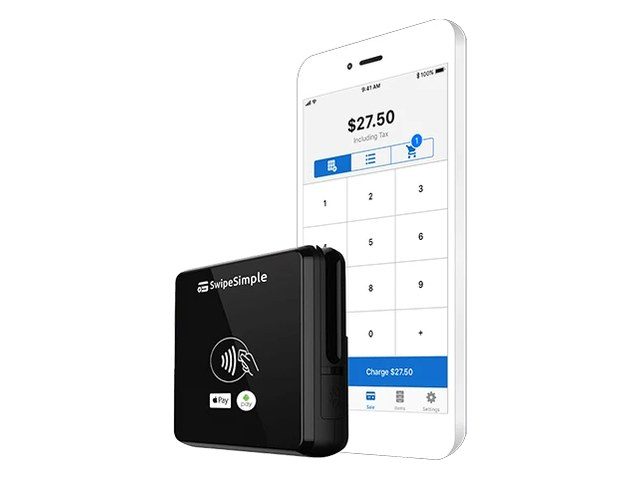
Plumbers, HVAC, cleaners, service crews
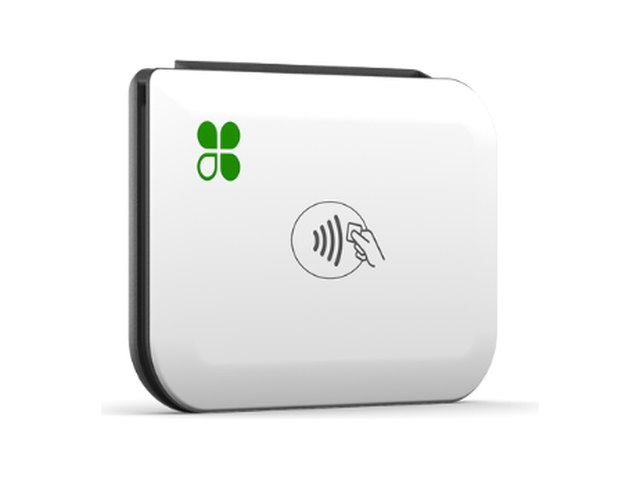
Crews that want a Clover in every truck
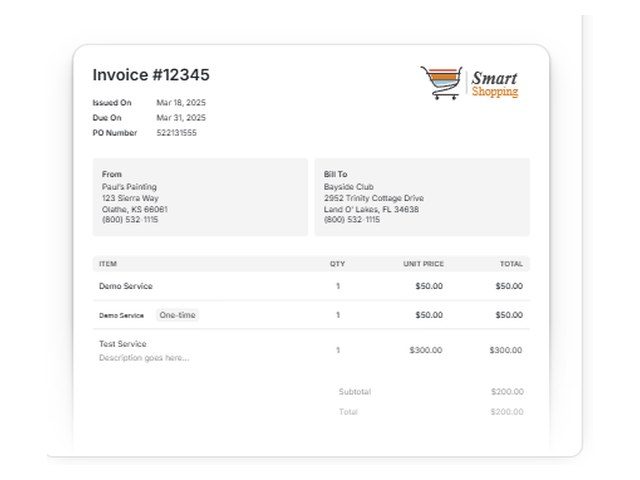
Deposits, progress billing, and big jobs
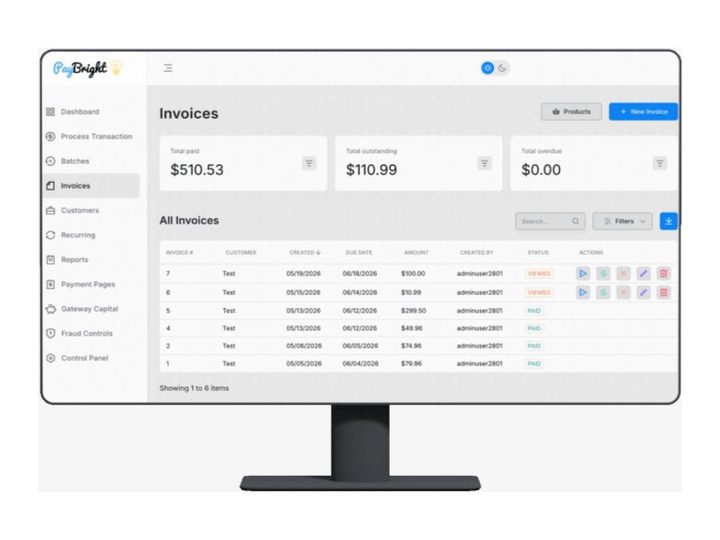
Invoices, ACH, and saved cards
Trades often have large tickets, so the card cost on each job is noticeable. Some contractors offset it with dual pricing or a cash discount. Others invoice businesses and prefer interchange-plus. We price both from your statements.
Two prices on every ticket: one for cash, one for card. Card customers cover the card cost. The card price applies to all cards, debit included.
Example: a job with an $850.00 cash price shows an $884.00 card price, a 4% difference. This is an example, not a quote. Your card price is set when we set up your program.
One posted price, with a discount for customers who pay cash. We set up the signage and receipts so it's clear at checkout.
You pay what the card networks charge, plus a fixed markup you can see on every statement. Your customers see one price.
Not sure which fits? Send your last 2 statements. We price each option against what you pay now and show you the difference in dollars.
Free rate analysis for contractors and home services →Plumbers, electricians, HVAC, landscapers, and remodelers get paid in the field and by invoice, not at a register. Your setup should work the same way.
Already invoicing in Jobber or Housecall Pro? Our setup works alongside both, and we confirm how it works before anything changes.
Take a card over the phone from a browser with Hyfin's virtual terminal. No extra terminal required.
Dual pricing or cash discount, so card customers cover the card cost on bigger tickets.
HVAC, plumbing, electrical, roofing, landscaping, pest control, cleaning, painting, and moving companies. If you work in the field and bill by the job, the setup is the same idea: a reader or phone on site, invoices for the rest.
Take payment in the driveway or send an invoice from the truck.
Deposits before materials and progress billing on big jobs.
Monthly service billed automatically to a saved card.
Tap to Pay on iPhone, with no reader to carry.
Field service, invoicing, and accounting software, connected to the same merchant account.
Field service scheduling and invoicing. Our setup works alongside it.
Home service scheduling and invoicing. Our setup works alongside it.
Roofing and contractor CRM. Our setup works alongside it.
Synced through Hyfin, SwipeSimple, or BillerGenie.
And many more, including Hyfin, SwipeSimple, LEAP, Contractor+, Markate, ServiceMinder, ServiceMonster, Octopus Pro, Striven, Sensai, and Cin7.
Use other software? Tell us what you use or call 949-946-2442, and we'll check with PayBright's integration team to see if it can connect. We confirm how it works before anything changes. See every integration →
Remodels and installs get paid in stages. Set the schedule up once and let the payments come in.
Collect a deposit by card or payment link when the job is booked, before you order materials.
Hyfin sends invoices by text or email with installments, reminders, and late fees or early-pay discounts, so each stage gets billed on time.
Bank-to-bank payments through the PayBright Gateway or Hyfin for large jobs you'd rather not put on a card.
Keep a customer's card or bank account on file for the final payment or a service plan.
Send invoices from the field and keep your books up to date.
All three send invoices and payment links and sync with QuickBooks Online, so your books stay up to date.
Send invoices by email or text. Cards and ACH bank payments in one place.
Techs collect on the spot and the office needs to see every payment.
Setup: Clover Go or SwipeSimple on each tech's phone, with payments in one dashboard. If you use Jobber or Housecall Pro, our setup works alongside it.
Big tickets, deposits up front, and payments in stages.
Setup: Hyfin invoices for the deposit and each stage, with ACH for large payments and QuickBooks Online sync.
The same customers every month on a set route.
Setup: Recurring billing on a saved card, so payments run on schedule without a call.
Techs in the field and an office that needs every payment tracked.
Setup: Our setup works alongside JobNimbus, and crews take payment on site with Clover Go.
The same clients every week.
Setup: Recurring billing on a saved card, so payments run on schedule.
These are examples. Your setup is based on how your business runs and what you process.
Meet or beat. Already set up somewhere else? Show us your statement. We'll match or beat it whenever we can, and if we can't, we'll tell you straight.
Every page, from every processor or location. Opening a new business? Just tell us about it.
What you pay now next to interchange-plus and dual pricing, in dollars per month.
Mobile readers, Tap to Pay, invoicing, or all three, based on how your crews work.
Equipment and training, then next-day funding on your sales.
Pairs well with: Mobile payments · Invoicing · QuickBooks integrations · Recurring billing
Free rate analysis for contractors and home services →New Business? Start Here
Usually not. Most trades are covered by a phone, a reader, and invoicing.
Yes. Our setup works directly alongside Jobber, Housecall Pro, JobNimbus, LEAP, and ServiceMonster, so you can keep scheduling and invoicing the way you do now. Using other field service software? We'll check it for you.
Yes. Hyfin, SwipeSimple, and BillerGenie sync with QuickBooks Online, and BillerGenie also connects to QuickBooks Desktop.
You get next-day funding.
Yes. SwipeSimple Tap to Pay on iPhone and the Dejavoo iPOSGo! app on iPhone or Android take contactless cards and phone wallets right on your phone, no reader needed.
Yes. Take a deposit up front, then send progress invoices with installments and reminders through Hyfin or the PayBright Gateway.
Still have a question? Call 949-946-2442 or text us.
Free rate analysis for contractors and home services →
Other industries: Auto repair & tire shops · Detailing & car washes · Grocery & markets · Law firms & legal · Leaving Square or Stripe · Liquor stores · Medical, dental & healthcare · Memberships & recurring · Professional services · Quick-service & kiosks · Regulated & high-risk · Restaurants & bars · Retail & specialty · Salons, barbers & med spas · Startups & new business
Based in Orange County. We work with businesses by phone, text, and email, so there's no office visit needed.
Send your last 2 statements. We'll put what you pay now next to what you'd pay with us, in plain numbers.
Free rate analysis for contractors and home services →New Business? Start Here
Next-day fundingMonth-to-monthFree equipment if you qualifyCall or text 949-946-2442
Attach your last 2 months of statements if you have them. If not, send your details and we'll follow up.
No statements needed. Tell us about the business and we'll recommend the POS and payment setup that fits, then follow up to go over it.