
Industries · Medical, dental & healthcare
Copays at the front desk, balances by text, and treatment plans paid over time. Standalone, or connected to your practice software, on a month-to-month merchant account.
Free rate analysis for medical and dental offices →New Business? Start Here
Or call 949-946-2442 or text us.
Patient balances that go unpaid once the patient leaves the office.
Taking card numbers by phone and chasing statements.
Copays and balances all carry card fees.
Payments entered twice: once at the terminal and again in your practice software.
We recommend the setup that best fits your front desk and your software. These are the four practices pick most.
Dental, medical, and veterinary practices
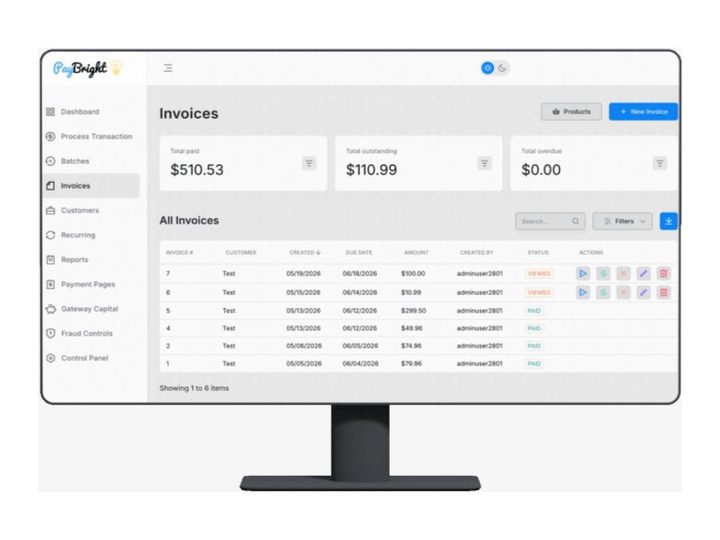
Payment plans and stored cards
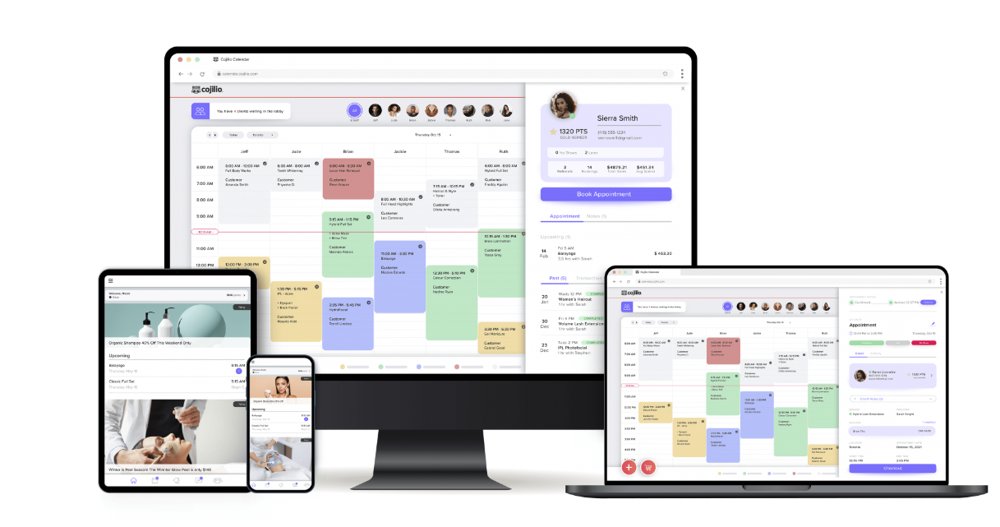
Chiropractic, wellness, and med spas
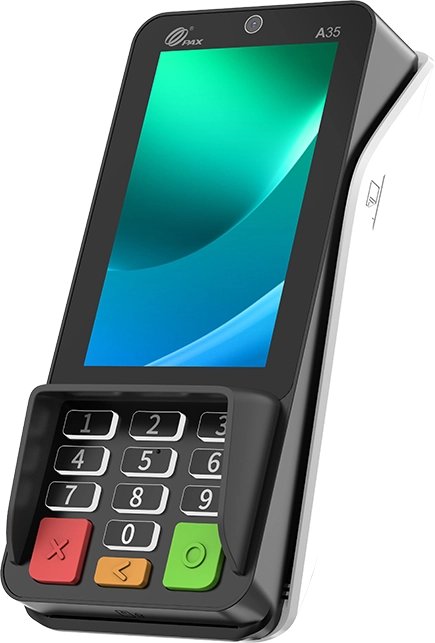
Copays and balances at checkout
Professional offices usually prefer to keep one price for every patient, which points to interchange-plus: the card networks' cost plus a fixed markup you can see. We still price both programs from your statements so you can compare.
Two prices on every ticket: one for cash, one for card. Card customers cover the card cost. The card price applies to all cards, debit included.
Example: an office visit with a $200.00 cash price shows a $208.00 card price, a 4% difference. This is an example, not a quote. Your card price is set when we set up your program.
One posted price, with a discount for customers who pay cash. We set up the signage and receipts so it's clear at checkout.
You pay what the card networks charge, plus a fixed markup you can see on every statement. Your customers see one price.
Not sure which fits? Send your last 2 statements. We price each option against what you pay now and show you the difference in dollars.
Free rate analysis for medical and dental offices →Practices collect copays at the counter, balances by phone, and treatment costs over time. We set the account up for all three.
Patient payments built for dental and medical offices: text-to-pay, card on file, and surcharging. Surcharging isn't allowed in every state and can't be applied to debit cards. Connects to 125+ practice management and EMR systems, including Eaglesoft, Open Dental, Denticon, ChiroTouch, and eCW.
Take a card over the phone from your browser with Hyfin's virtual terminal, or text the patient a payment link.
Clover, or a PAX, Dejavoo, Ingenico, or Equinox terminal for copays and balances at the front desk.
Your markup and the card network costs both show on your statement, line by line.
Front desk terminals we set up: PAX A35, Dejavoo Z8, Ingenico Lane 3000, and FD150. See all terminals →
Front desk checkout and balances paid by text.
Payment plans for treatment and cards kept on file.
Visit packages and scheduled payments.
Exams plus glasses and contact lens orders, with a card on file for orders.
Visit fees and procedures, with pet owners paying by text.
Session payments and a card on file for each client.
Payments by phone and installments on an invoice.
Some med spa services get a closer look from processors. See salons, barbers & med spas.
Patient payments connect to the practice management and EMR software your staff already uses, through PayBright's integrations and LQpay. Systems include:
athenahealth, AdvancedMD, eClinicalWorks, NextGen, ModMed, DrChrono, Kareo, Tebra, Practice Fusion, CollaborateMD, Meditab, RXNT, Experity, InSync, Rapid PM, Allscripts, Centricity, Greenway, and Nextech
Dentrix, Dentrix Ascend, Eaglesoft, Open Dental, Denticon, Curve Dental, PracticeWorks, SoftDent, Oryx, AsproDental, SilkOne, and WinOMS
ChiroTouch, ChiroHD, Chirocat, Atlas Chirosys, Jane, WebPT, SimplePractice, TherapyNotes, Valant, and Qualifacts
AVImark, Cornerstone, IDEXX Neo, ImproMed, ezyVet, Covetrus Pulse, DaySmart Vet, Digitail, Vetspire, Shepherd, Hippo Manager, ClinicHQ, Clientraxx, NaVetor, Nectarvet, Groomsoft, and Vetter
And many more, including orthodontic, vision and hearing, and med spa and home health software, plus QuickBooks Online through Hyfin.
Use other software? Tell us what you use or call 949-946-2442, and we'll check with PayBright's integration team to see if it can connect. We confirm how it works before anything changes. See every integration →
You don't have to connect anything to get started. If you want payments tied to your practice software, we set that up too.
A front desk terminal and text-to-pay links. Nothing to connect, so you can start quickly.
LQpay or PayBright's integrations connect patient payments to your practice management or EMR software.
The practice management or EMR system you use today.
We check with PayBright's integration team or LQpay before anything changes.
How payments are taken at the desk, by text, and on file, and how they show up in your software.
Your front desk is trained, then you start taking payments.
Charge what insurance didn't cover without another phone call, and let patients pay for ortho, implants, and multi-visit care over time.
Save the patient's card in LQpay or the PayBright Gateway, then charge the balance once insurance pays its part.
Set up a plan through the PayBright Gateway or Hyfin. The patient approves once and payments run on schedule.
Recurring billing on the PayBright Gateway updates many expired or replaced cards automatically.
Hyfin invoices can be split into installments, with reminders sent by text or email.
Bank-to-bank payments through the PayBright Gateway or Hyfin for balances you'd rather not put on a card.
LQpay texts the patient a payment link, so they can pay the balance from their phone.
Big treatment plans and patients who want to pay over time.
Setup: A front desk terminal, plus scheduled payments on a stored card for treatment plans.
Patients buy visit packages and come in every week.
Setup: Packages and recurring payments on a saved card, with checkout at the front desk.
Balances after insurance that are hard to collect.
Setup: LQpay text-to-pay so patients can pay the balance from their phone.
Visit fees, procedures, and pet owners who want to pay by text.
Setup: LQpay with AVImark or IDEXX Cornerstone, plus a front desk terminal.
Exams plus glasses and contact lens orders.
Setup: LQpay with OfficeMate or Eyefinity, and card on file for orders.
These are examples. Your setup is based on how your business runs and what you process.
Card data is handled by the payment systems, and PayBright's PCI compliance portal is part of your merchant login.
Cards on file are stored in the PayBright Gateway's customer vault or in LQpay, not on your office computers.
With dual pricing, both prices are posted before the patient pays. Surcharging isn't allowed in every state and can't be applied to debit cards.
Meet or beat. Already set up somewhere else? Show us your statement. We'll match or beat it whenever we can, and if we can't, we'll tell you straight.
Every page, from every processor or location. Opening a new business? Just tell us about it.
What you pay now next to interchange-plus and dual pricing, in dollars per month.
A front desk terminal, LQpay, scheduled payments, or a mix.
Equipment and training, then next-day funding on your sales.
Pairs well with: Recurring billing · Virtual terminals · Invoicing · Interchange-plus
Free rate analysis for medical and dental offices →New Business? Start Here
No. Card mix and ticket size change the number. Your last 2 statements get you a real number faster than a posted rate that won't match your practice.
The processing agreement we set up is month-to-month, with no cancellation fee.
Processor and POS support is available 24/7, except most federal holidays. Day-to-day account questions come straight to us.
Yes. LQpay texts the patient a payment link, and they pay from their phone.
No. A front desk terminal and text-to-pay links work on their own. If you want payments connected to your practice management or EMR software, LQpay and PayBright's integrations connect to many systems.
Tell us what you use and we'll check with PayBright's integration team. We confirm how it works before anything changes.
Yes. Scheduled payments through the PayBright Gateway or Hyfin, or installments on a Hyfin invoice.
Yes. ACH through the PayBright Gateway or Hyfin, for larger balances.
Still have a question? Call 949-946-2442 or text us.
Free rate analysis for medical and dental offices →
Other industries: Auto repair & tire shops · Detailing & car washes · Grocery & markets · Law firms & legal · Leaving Square or Stripe · Liquor stores · Memberships & recurring · Professional services · Quick-service & kiosks · Regulated & high-risk · Restaurants & bars · Retail & specialty · Salons, barbers & med spas · Startups & new business · Trades & home services
Based in Orange County. We work with businesses by phone, text, and email, so there's no office visit needed.
Send your last 2 statements. We'll put what you pay now next to what you'd pay with us, in plain numbers.
Free rate analysis for medical and dental offices →New Business? Start Here
Next-day fundingMonth-to-monthFree equipment if you qualifyCall or text 949-946-2442
Attach your last 2 months of statements if you have them. If not, send your details and we'll follow up.
No statements needed. Tell us about the business and we'll recommend the POS and payment setup that fits, then follow up to go over it.