
Industries · Memberships & recurring
Membership payments for gyms, fitness studios, yoga and martial arts schools, and clubs. Monthly dues bill on their own, the front desk takes cards for drop-ins and retail, and it all lands in one merchant account.
Set up recurring billing →New Business? Start Here
Or call 949-946-2442 or text us.
When dues run every month, small problems repeat every month.
When a card expires, the payment fails and someone has to chase it.
Some membership software bundles in its own processing, at its own price.
Every monthly charge carries a card fee, and it adds up across the year.
Staff keying in charges every month takes time and invites mistakes.
We recommend the setup that best fits how you bill. These are the three gyms and studios pick most.
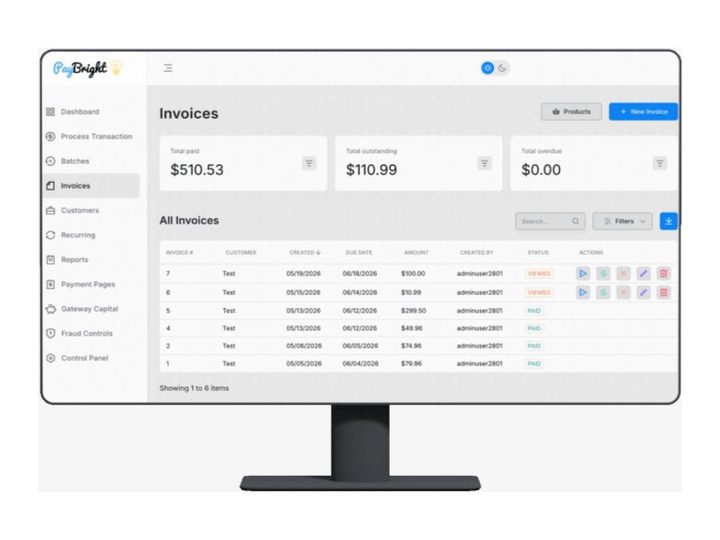
Dues, subscriptions, and payment plans
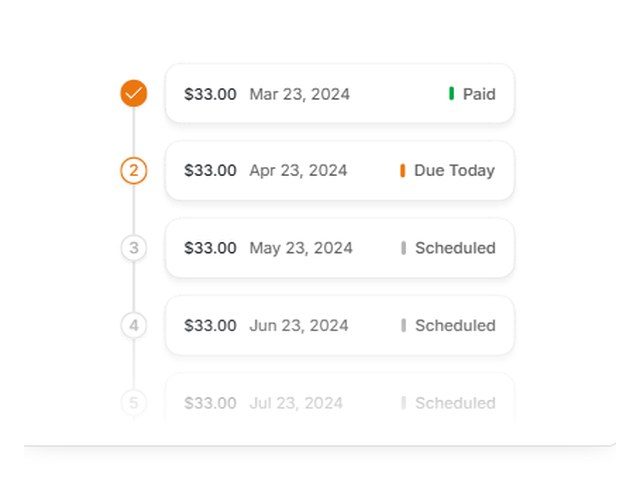
Memberships and payment plans with invoices
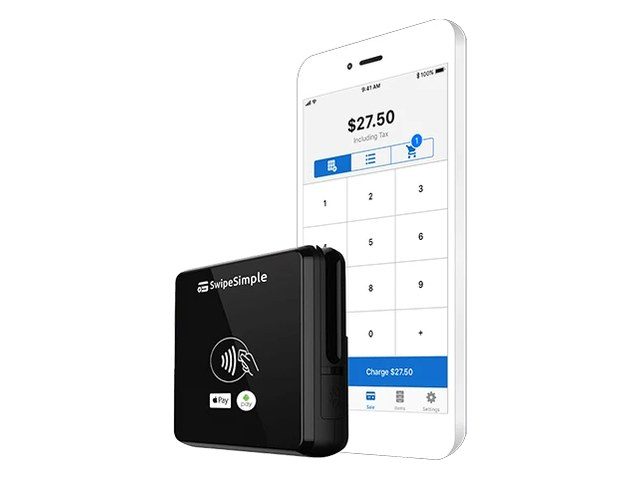
Studios with a front desk
Recurring payments are keyed or stored rather than tapped, which changes the card networks' cost. Interchange-plus shows that cost and our markup separately, so you can see what each payment costs you.
Two prices on every ticket: one for cash, one for card. Card customers cover the card cost. The card price applies to all cards, debit included.
Example: a monthly membership with a $60.00 cash price shows a $62.40 card price, a 4% difference. This is an example, not a quote. Your card price is set when we set up your program.
One posted price, with a discount for customers who pay cash. We set up the signage and receipts so it's clear at checkout.
You pay what the card networks charge, plus a fixed markup you can see on every statement. Your customers see one price.
Not sure which fits? Send your last 2 statements. We price each option against what you pay now and show you the difference in dollars.
Set up recurring billing →A membership business loses money every time a card quietly fails. The billing setup matters as much as the rate.
Monthly and annual memberships for gyms, studios, and clubs, billed on the same day each cycle.
Stored cards for members, in the same account as your counter and online payments.
Bank-to-bank payments for members who'd rather not use a card.
Billing in Chargezoom, BillerGenie, or Hyfin? Those connect to the same merchant account, and we check how stored cards move before anything changes.
Gym, studio, and class software, connected to the same merchant account.
Gym and studio booking software. Our setup works alongside it.
Gym and club management software. Our setup works alongside it.
Class and program registration. Our setup works alongside them.
Recurring billing with card updates and ACH.
And many more, including Classe365, GoSignMeUp, Gradelink, and Prime Child Care.
Use other software? Tell us what you use or call 949-946-2442, and we'll check with PayBright's integration team to see if it can connect. We confirm how it works before anything changes. See every integration →
Monthly dues run in the background. The front desk handles drop-ins, class packs, water, and retail.
Clover or a PAX or Dejavoo terminal for drop-ins, classes, and retail, settling into the same account as dues.
Already running your gym on membership or scheduling software? We check how it connects before anything changes.
Members approve once and dues bill monthly. Expired or replaced cards update on their own on the PayBright Gateway.
Front desk terminals we set up: PAX A35, Dejavoo Z8, Ingenico Lane 3000, and FD150. See all terminals →
POS options for the front desk: Clover for a full counter with retail inventory · SwipeSimple on a phone or tablet · KORONA POS for a bigger retail shop · All POS systems
Gym billing is more than one charge a month. Here's how each part works on the setups we put in.
The member approves once, their card or bank account is saved in the customer vault, and dues bill on the same day each month. Annual and paid-in-full plans work the same way, once a year.
Charge a one-time sign-up fee with the first month's dues, then let the monthly schedule take over. The member sees both on their receipt.
A member traveling or injured? Pause their schedule or move the next billing date, then restart it when they come back. No new card, no new paperwork.
End the schedule from the dashboard and no more charges run. Their payment history stays on file if they rejoin.
On the PayBright Gateway, many expired or replaced cards update on their own before they fail. If dues still decline, you see it in the dashboard, retry it, or text the member a link to update their card.
Members who'd rather not use a card can pay dues from their bank account. Bank accounts don't expire, so ACH dues tend to keep running.
Billing retainers, service plans, or installments outside the gym world? See recurring billing solutions for small businesses.
Not every member pays monthly. Packs and packages sell at the front desk, online, or by text.
Sell a 5, 10, or 20-class pack as a single charge at the front desk or through your booking software. Drop-ins and day passes ring up the same way.
Text or email a payment link for an intro offer or a pack, and the client pays from their phone before their first class.
Split a larger package, camp, or program into scheduled payments through the PayBright Gateway or Hyfin, with reminders by text or email.
Meet or beat. Already set up somewhere else? Show us your statement. We'll match or beat it whenever we can, and if we can't, we'll tell you straight.
The member's card or bank account is saved once at sign-up, then dues run automatically on the same day each month through the PayBright Gateway, Hyfin, or your gym software. Nobody keys in a charge.
On the PayBright Gateway, many expired or replaced cards update automatically, so fewer dues fail. If a payment still declines, it shows in your dashboard, and you can retry it or text the member a link to update their card.
Yes. Run the sign-up or enrollment fee as a one-time charge with the first month's dues, and the monthly schedule takes over after that.
Pause the member's schedule or move the next billing date to freeze it, and restart it when they're back. To cancel, end the schedule and no more charges run. If your gym software runs billing, freezes and cancellations happen there.
Our setup works alongside Mindbody, Rainmaker, ClassJuggler, and Jumbula. Using something else? Tell us what you run and we'll check with PayBright's integration team before anything changes.
Yes. Clover, SwipeSimple, or a PAX, Dejavoo, or Ingenico terminal at the front desk handles drop-ins, class packs, and retail, and settles into the same account as your dues.
Still have a question? Call 949-946-2442 or text us.
Other industries: Auto repair & tire shops · Detailing & car washes · Grocery & markets · Law firms & legal · Leaving Square or Stripe · Liquor stores · Medical, dental & healthcare · Professional services · Quick-service & kiosks · Regulated & high-risk · Restaurants & bars · Retail & specialty · Salons, barbers & med spas · Startups & new business · Trades & home services
Based in Orange County. We work with businesses by phone, text, and email, so there's no office visit needed.
Send your last 2 statements. We'll put what you pay now next to what you'd pay with us, in plain numbers.
Set up recurring billing →New Business? Start Here
Next-day fundingMonth-to-monthFree equipment if you qualifyCall or text 949-946-2442
Attach your last 2 months of statements if you have them. If not, send your details and we'll follow up.
No statements needed. Tell us about the business and we'll recommend the POS and payment setup that fits, then follow up to go over it.